The step that decides
whether data can be trusted.
Fosfor is LTIMindtree's data and decision platform, a suite that helps organisations move from raw data to confident decisions. Data profiling is the step that comes first, the work of checking whether a dataset is even worth trusting.
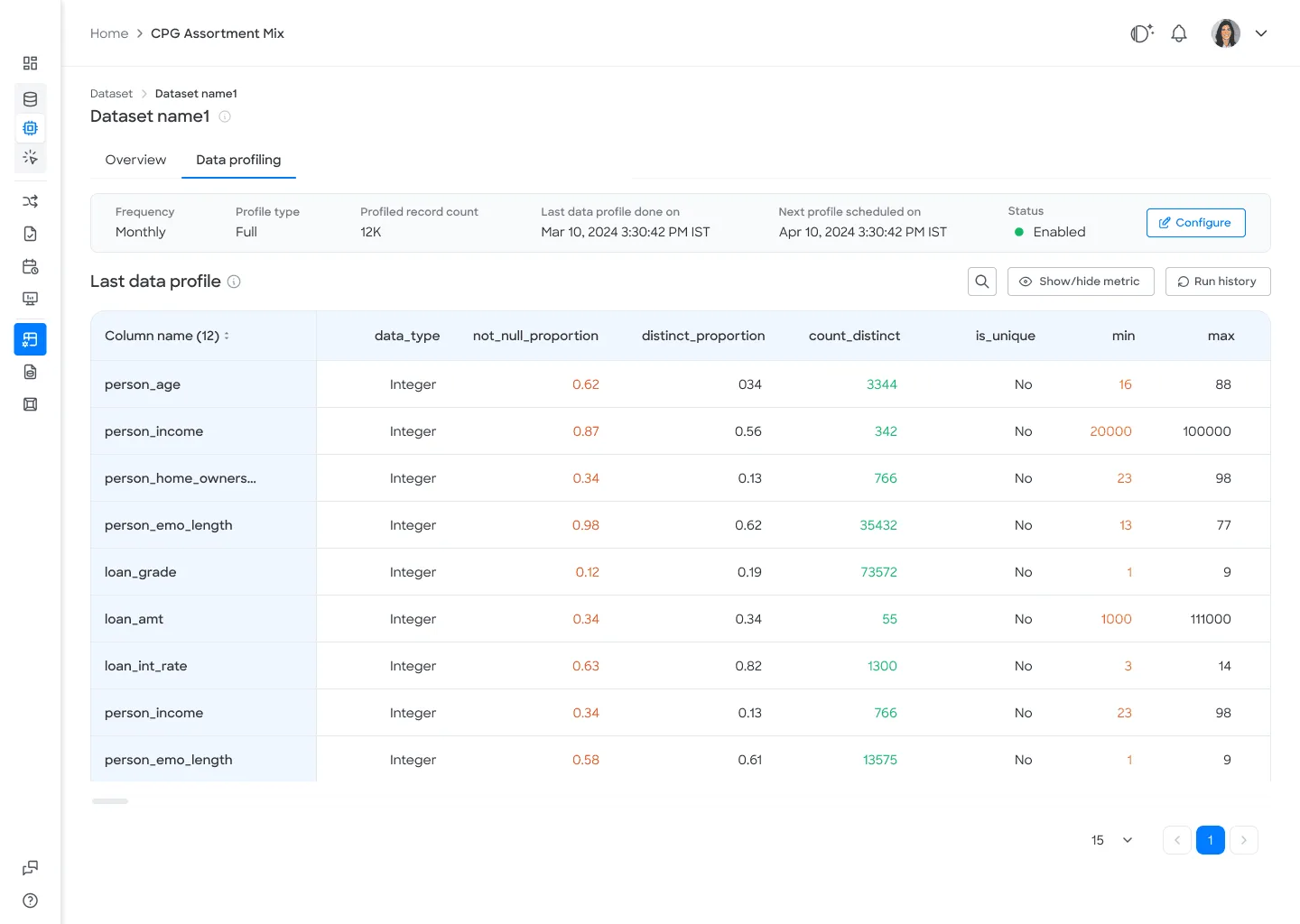
It computes statistical metrics across a data model to expose structure, quality, and anomalies before anyone builds analysis on top of it. My job was to make that step fast, legible, and built into the flow rather than a chore done by hand.
Product
Data profiling inside the Fosfor Decision Cloud, the suite that turns data into decisions.
Problem
Teams could not easily judge the quality or structure of a dataset before analysing it, so flawed data slipped through.
Details
UI and UX design across research, structure, and visual design over four months in Figma.
Solution
A clean profiling interface that computes statistical metrics on any data model and surfaces issues at a glance.
Result
A faster, more trustworthy first step in the data to decision workflow.
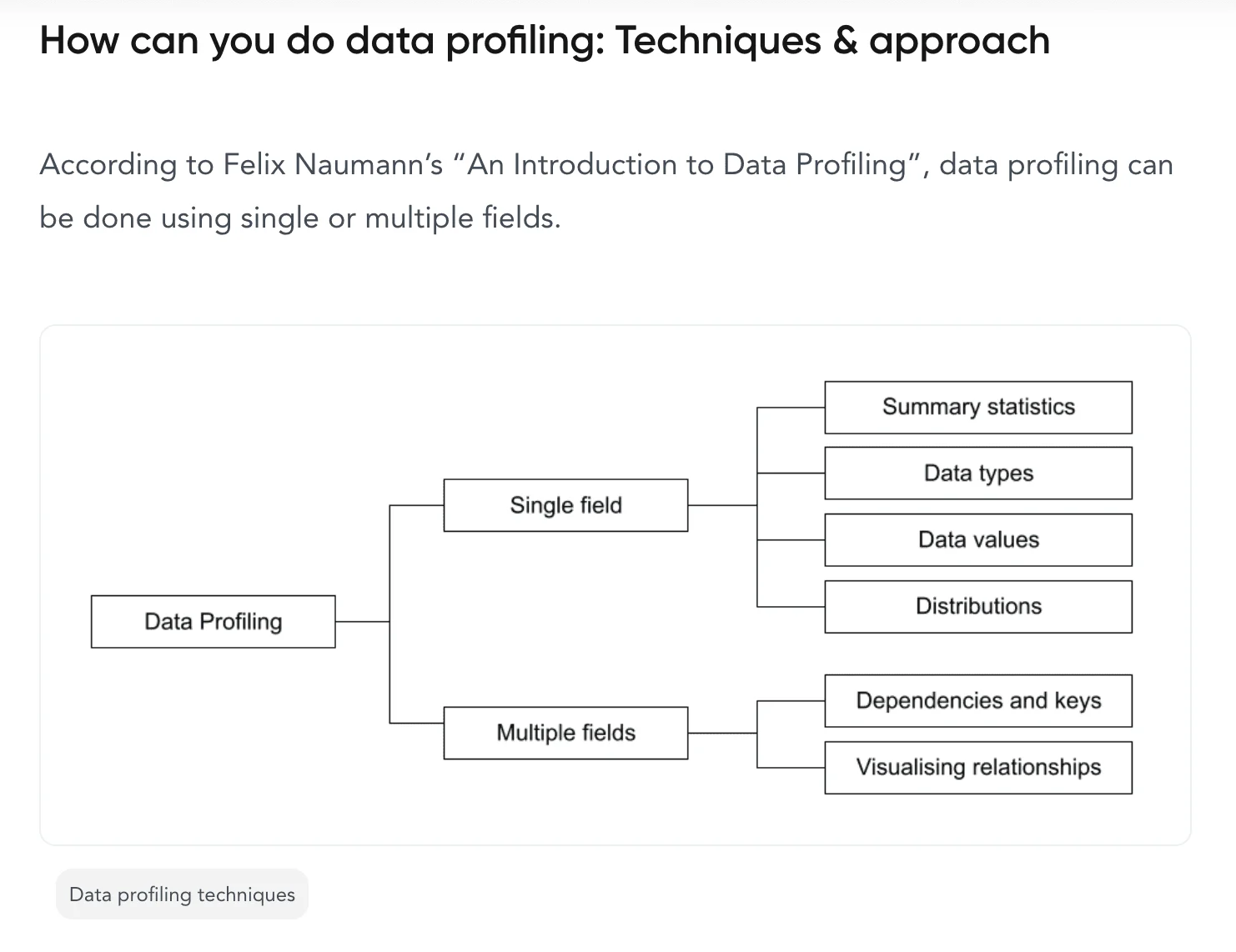
People came back for it.
35%
25%
2
How success was measured.
Wrong data quietly becomes
wrong conclusions.
Before this, understanding a dataset's quality meant slow manual inspection, which was time consuming and easy to get wrong. Teams carried flawed data into analysis without knowing it, and wrong data quietly became wrong conclusions.
What made it hard.
A profiling step so clear that no one builds on bad data without knowing it.
01
Compute statistical metrics on any data model, basic and advanced
02
Surface data quality issues at a glance
03
Cut the time spent on manual data checks
04
Fit profiling into the existing decision workflow rather than bolting it on
Five phases, one clear read.
Research and analysis
Studied the problem space, profiling patterns, and how competing tools handled the same job.
Information architecture
Structured the profiling views around how analysts actually move through data.
Wireframing and prototyping
Explored layouts and validated the flow before visual design.
Usability testing
Put prototypes in front of users and refined from their feedback.
Visual design and style guide
Aligned the final design to the Fosfor design system for consistency.
What the research made plain.
One unified view first
Data lived in silos across databases, spreadsheets, and APIs, so the first job was a single unified view.
Quality, not analysis
Quality issues, missing values, and inconsistencies were the real source of bad decisions, not the analysis itself.
Metrics with a next step
Raw data without actionable insight just slowed people down, so every metric had to point to a next step.
Any dataset, one clear read.
A clean, clutter free profiling interface that turns any data model into a clear read on its own quality.
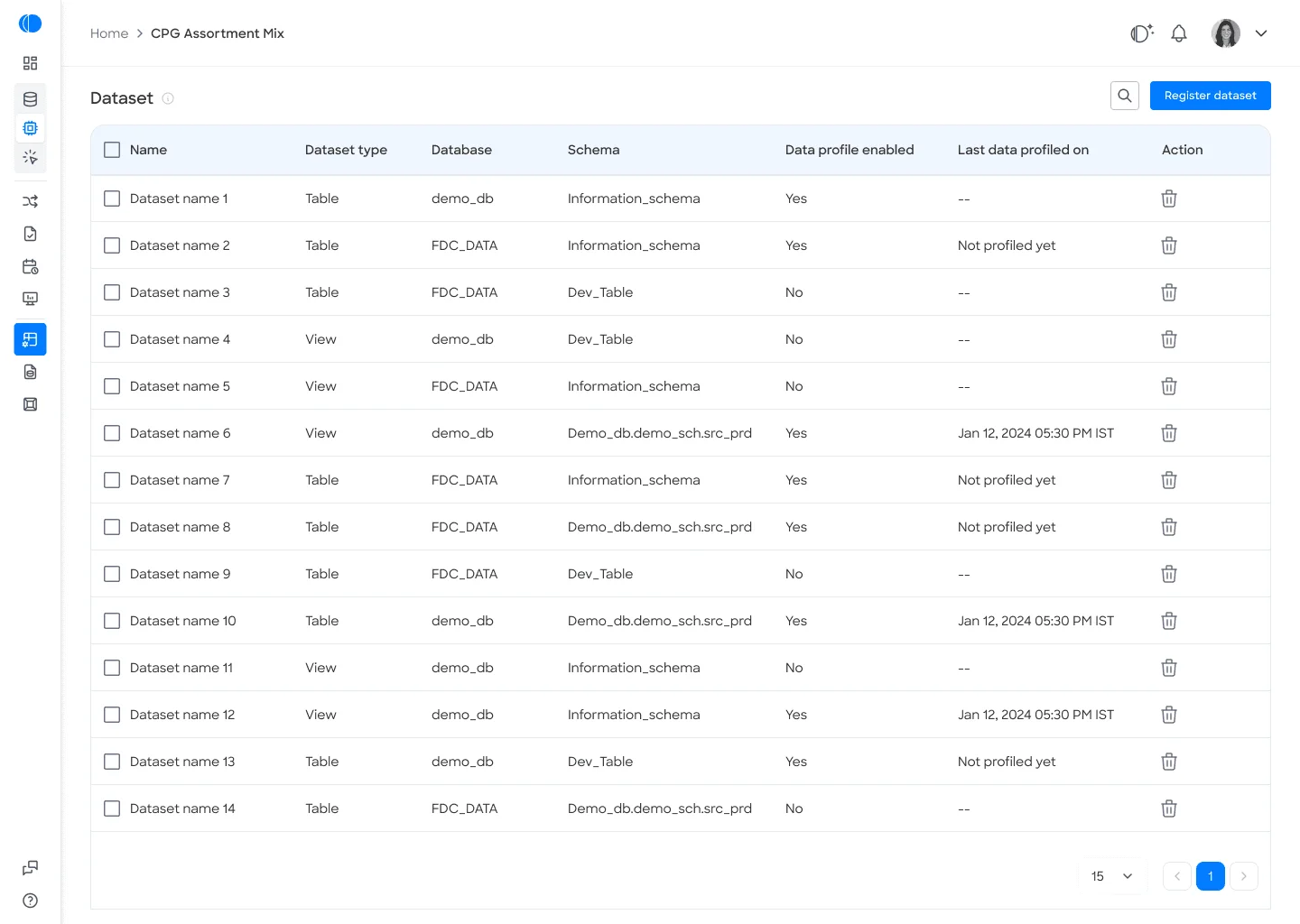
What makes profiling work.
The whole model, at once.
Understanding a dataset meant inspecting it by hand, slowly and with room for error. One view now computes the statistics across a whole model, so the read takes a moment.
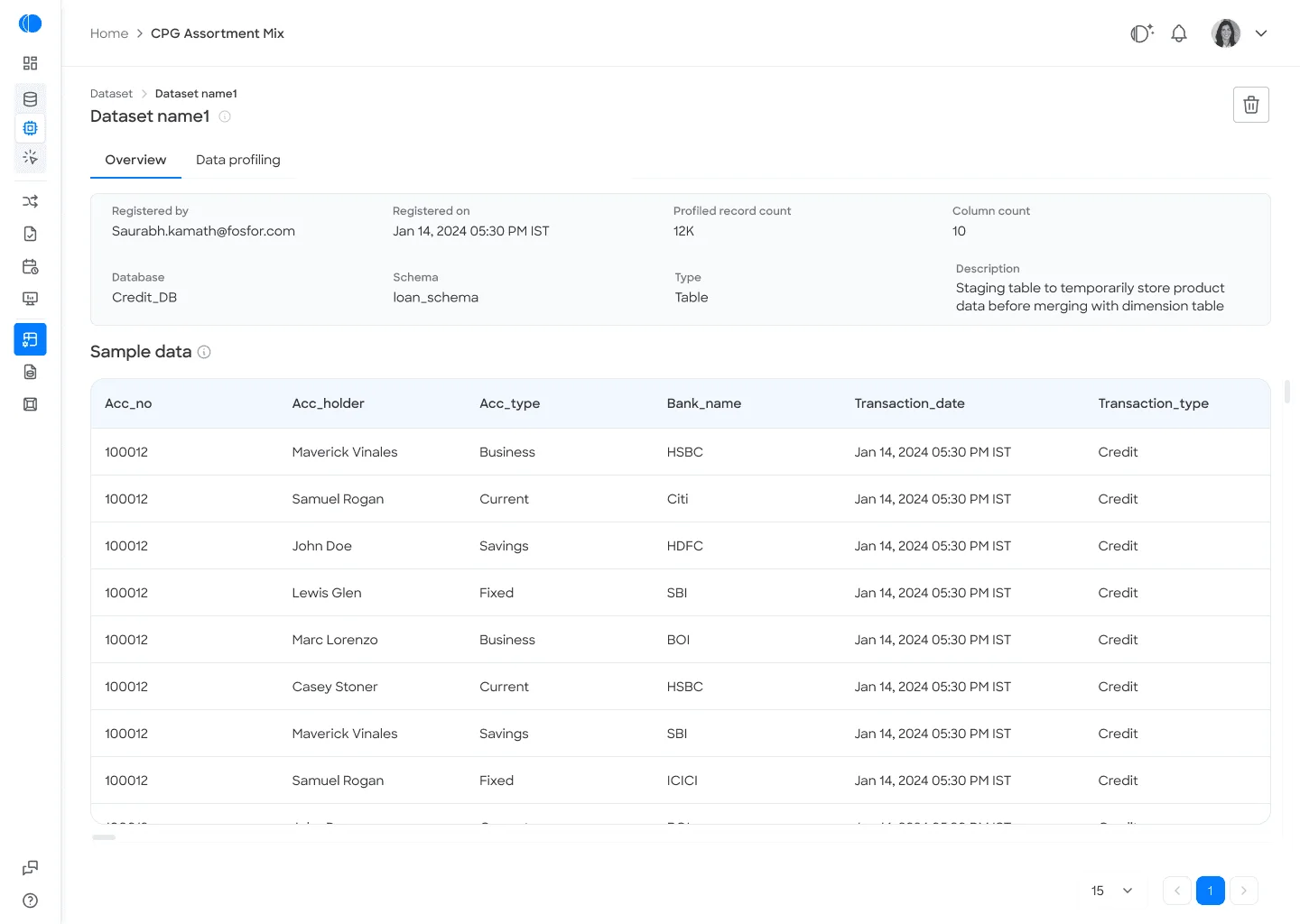
A quick look, or a long one.
Some questions need a glance and others need the full picture, and switching tools for the second one breaks the flow. Two depths sit in the same place, so going deeper never means leaving.
The problems find you.
Quality issues were the real source of bad decisions, and they were exactly what manual inspection missed. Anomalies, gaps and inconsistencies are flagged where the eye lands first, so nothing has to be hunted.
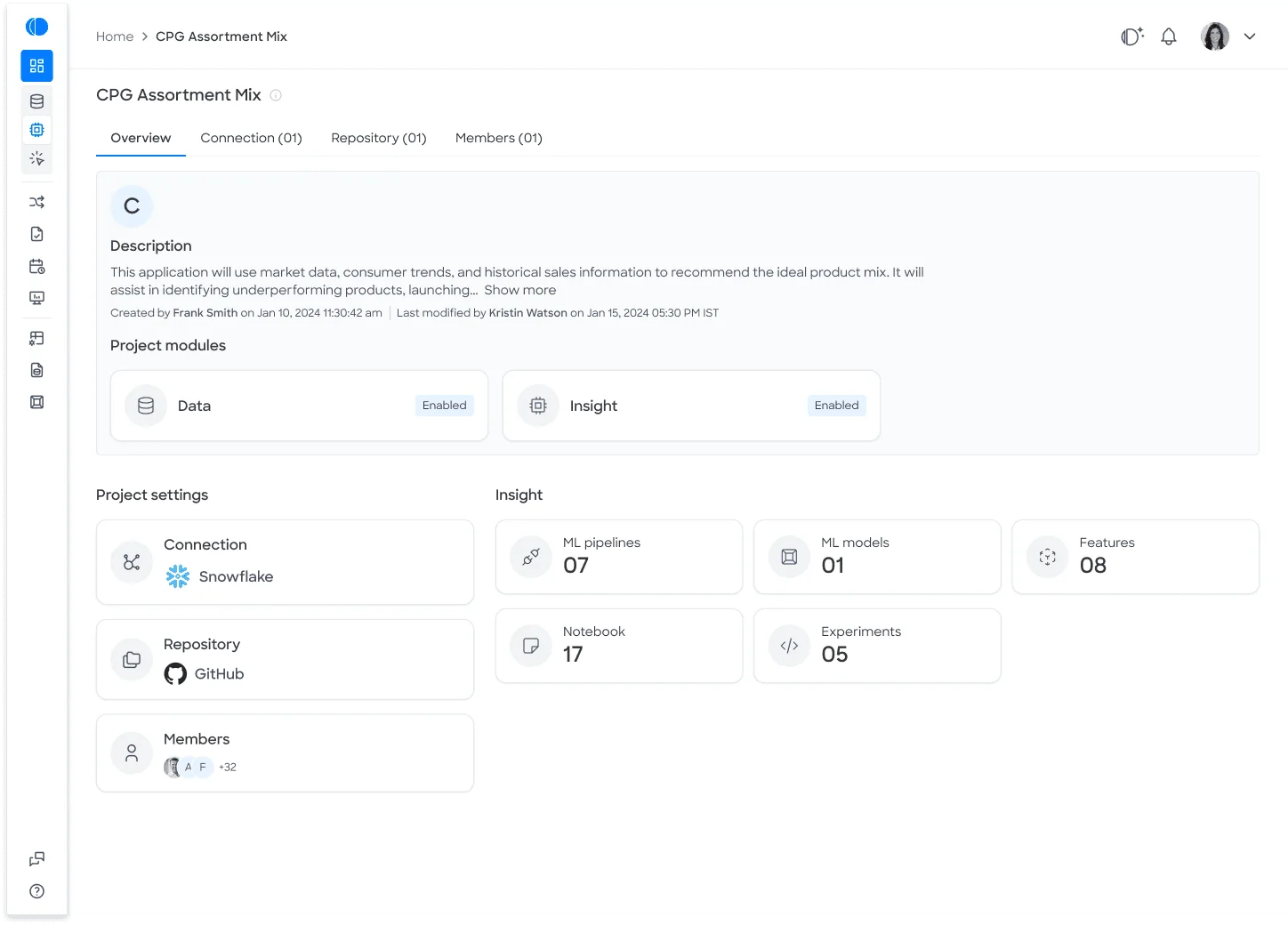
Where the numbers live.
A project overview, with its connected data and insight modules in one place.
Manual checks, made legible.
Manual inspection beside the profiling view, the same checks made fast and legible.
Data quality checks
Manual to instant
- The same checks made fast and legible
Final design
The profiler, in motion.
The configure and schedule flow, running end to end.
Loops · mutedGood decisions start with data you can trust, so the profiling step had to earn that trust before anything else.
Less friction beats a better screen.
This project sharpened how I think about enterprise tools, where the win is rarely a flashier screen and almost always less friction in a critical step.
If I were extending it, I would track whether faster profiling actually changed how often teams caught bad data before it reached analysis, since that is the outcome that matters.
The first step in the data to decision journey, finally worth trusting.