Great hardware,
a neglected app.
boAt is one of India's biggest consumer-electronics brands, built on affordable, stylish audio and a fast-growing line of smartwatches. boAt Crest is the companion app that pairs with those watches to track fitness, health and daily activity. By the time this redesign began, the app had fallen behind the hardware. The watches sold well, but the companion felt cluttered and dated, and the store rating showed it.
My job was to make the app worthy of the watch on the wrist.
The one number that had to move.
The hardware was selling. The app that shipped with it sat at 2.3. This is the only number the redesign had to move, and it is the number that moved.
2.3 → 4.2
The App Store rating after the redesign shipped. Ten weeks end to end, from research through final UI.
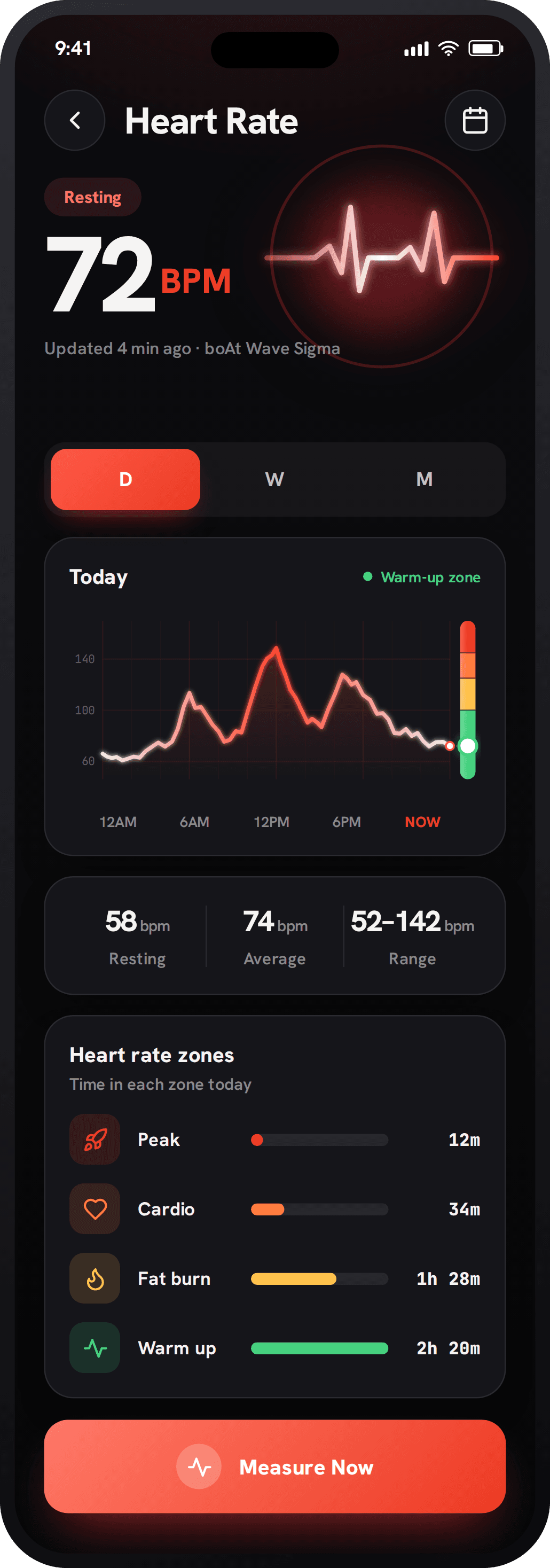
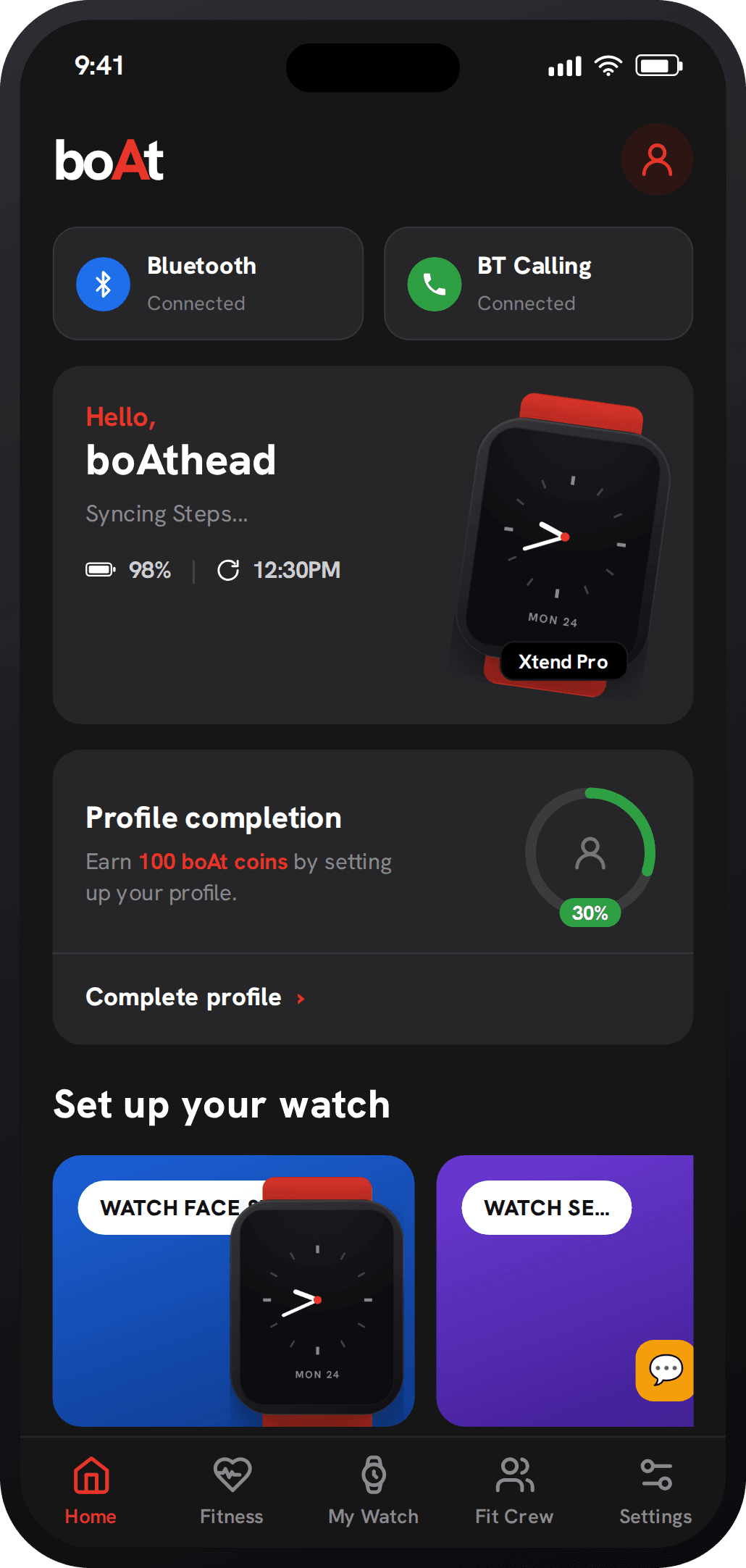
App Store ratingEverything at once, so nothing stood out.
One screen tried to do everything, with no hierarchy to guide the eye. The things that mattered, your day and your activity, got lost in the noise.
- 01Competing coloursA different hue everywhere, so nothing earns attention
- 02Upsell nags"Earn boAt coins" and profile prompts above your data
- 03Promo blocks"Set up your watch" merch pushes content down
- 04Five-tab navFive destinations, none of them clear
I even look?
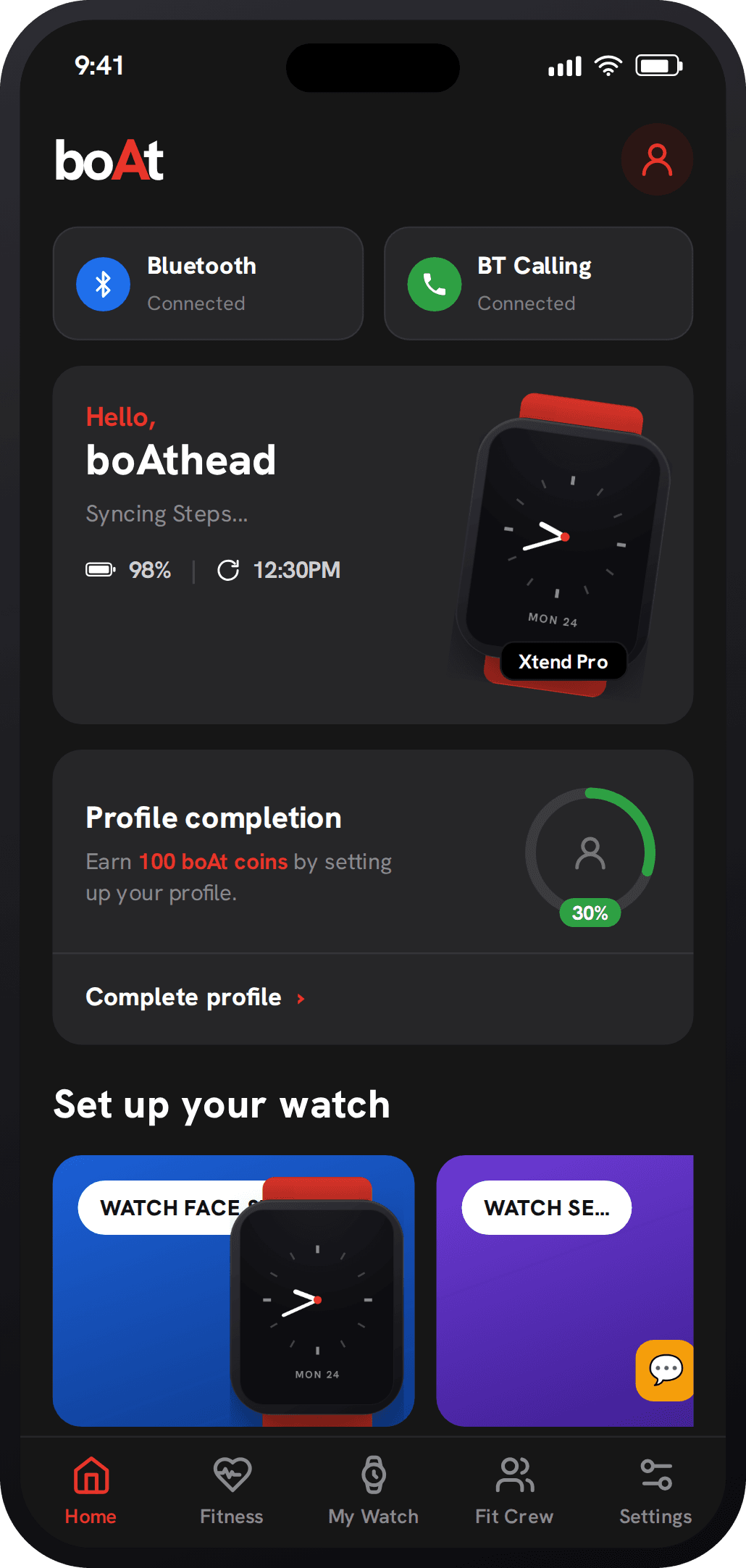
An app boAt users actually want to open. Calm, personal, and worth coming back to.
Declutter
Strip the noise down to one glanceable home, and let weight and colour carry the hierarchy, not decoration.
Personalise
Onboarding and workouts instead of one-size-fits-all, with social challenges that keep people coming back.
Systematise
A single token-driven design system, consistent across every screen and across both dark and light.
Grounded in research, focused by insight.
Before a single screen, I ran interviews, a 100-person survey and a competitive teardown of leading fitness apps. Then I let the findings, not assumptions, set the direction.
Interviews, a 100-person survey, and a competitive teardown of leading fitness apps.
A primary persona, empathy map, and journey, anchoring every decision in a real person.
Information architecture, the design system, and high-fidelity screens for every flow.
Split-tested the new flows against the old, then handoff and support through build.
What the research told me
75%
already used a fitness app regularly. The demand was real, and the old experience just wasn't meeting it.
The demand90%
were dissatisfied with the old interface, proof the problem was the experience, not the hardware.
The mandate85%
wanted guided workouts over generic exercises, so guidance became the backbone of the flows.
The directionOne system, two themes.
A single token set drives both Midnight Ember (dark, the shipping default) and Daybreak (light). Semantic colours for heart, sleep and oxygen stay constant, so your data reads the same in either.
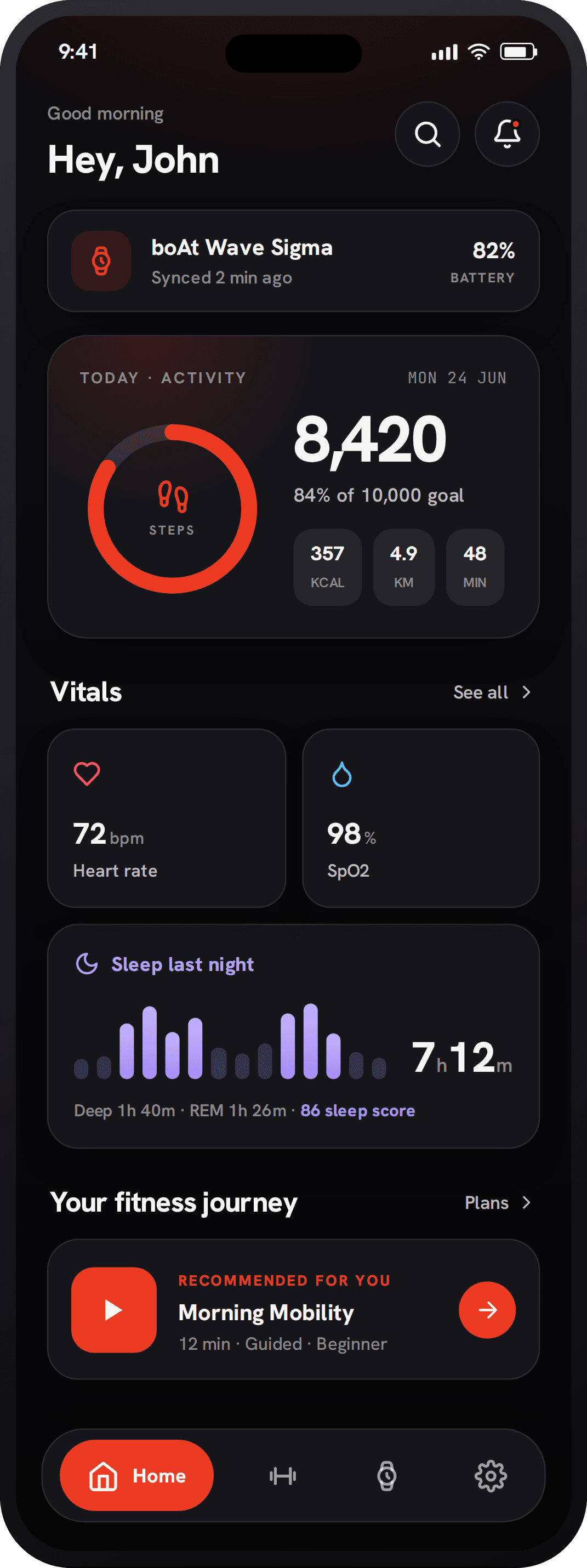 Midnight Ember · dark
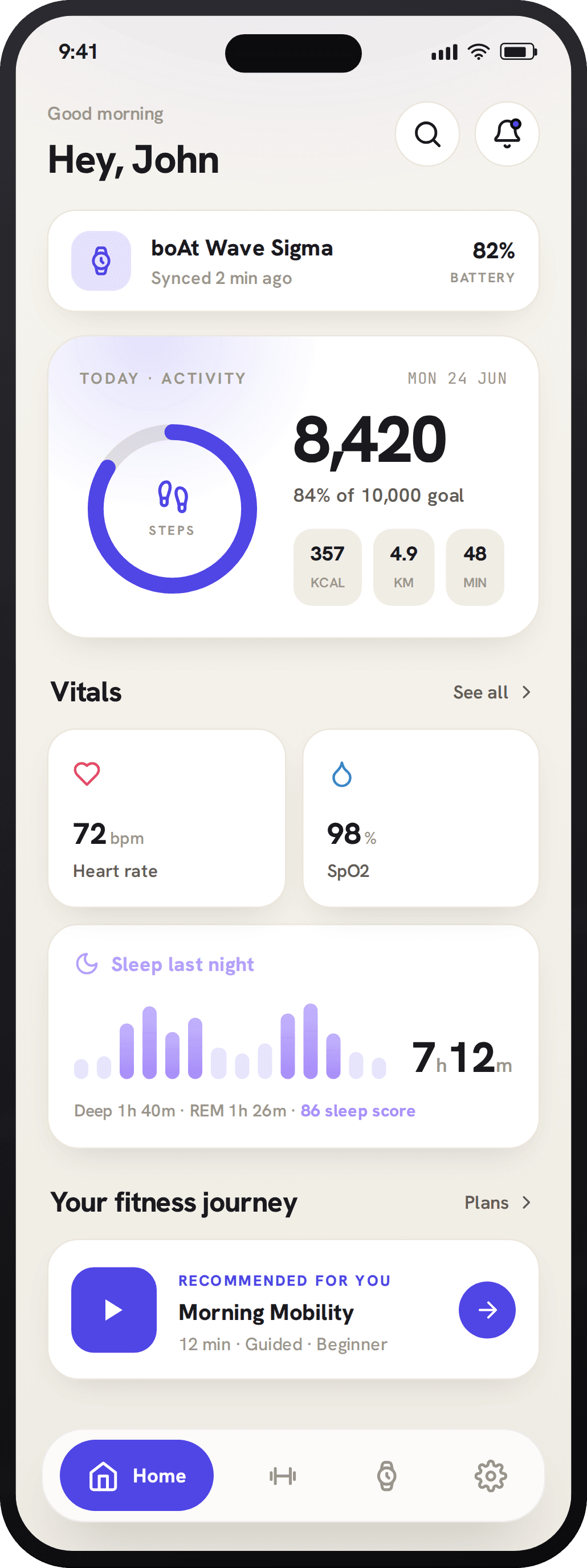 Daybreak · light
Where the redesign lives.
Five places the new system does real work for the person wearing the watch, each a small fix that compounds into a calmer whole.
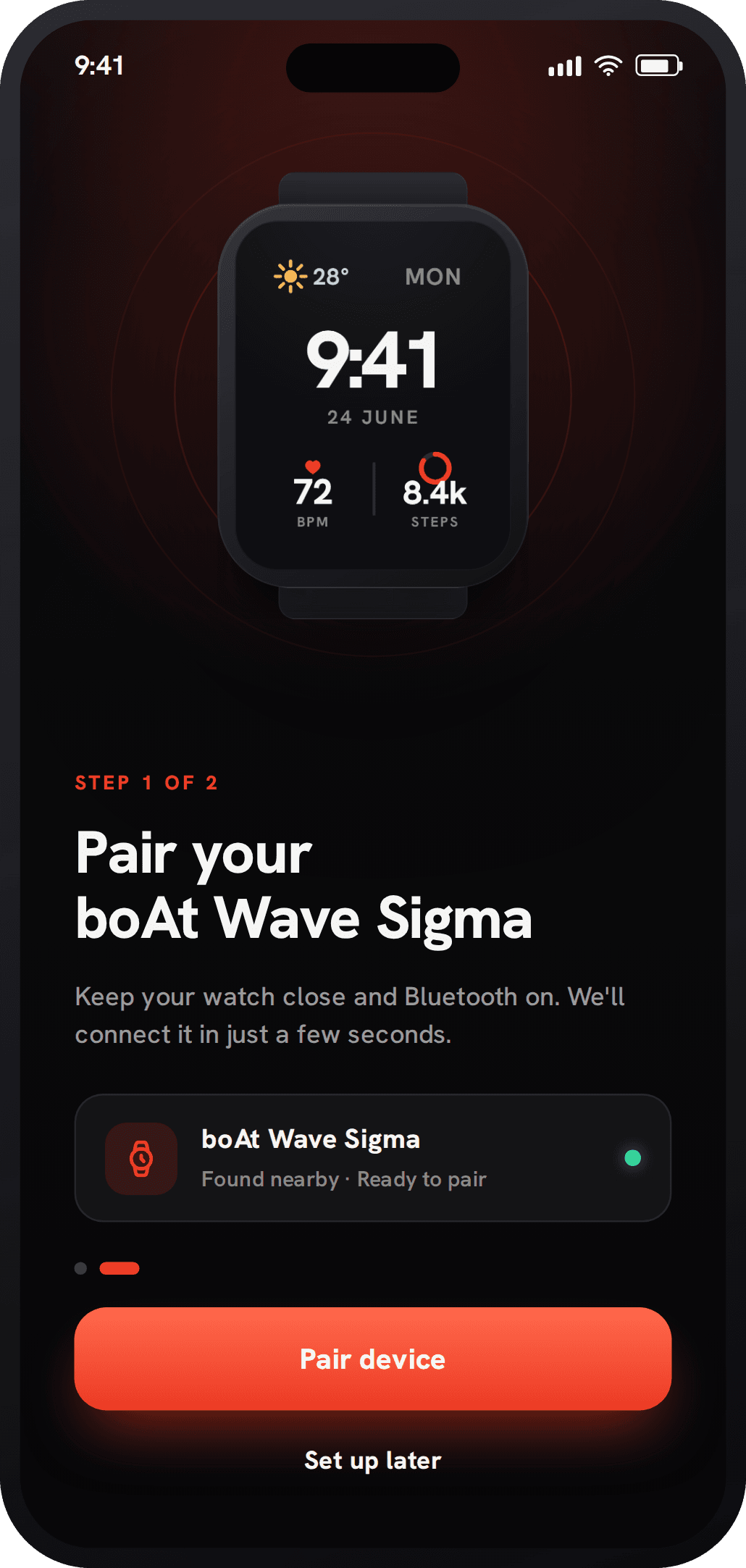
A setup that holds your hand.
Pairing used to drop people into a cluttered home. Now a short, guided flow connects the watch and sets the basics, so the first thing you feel is momentum, not confusion.
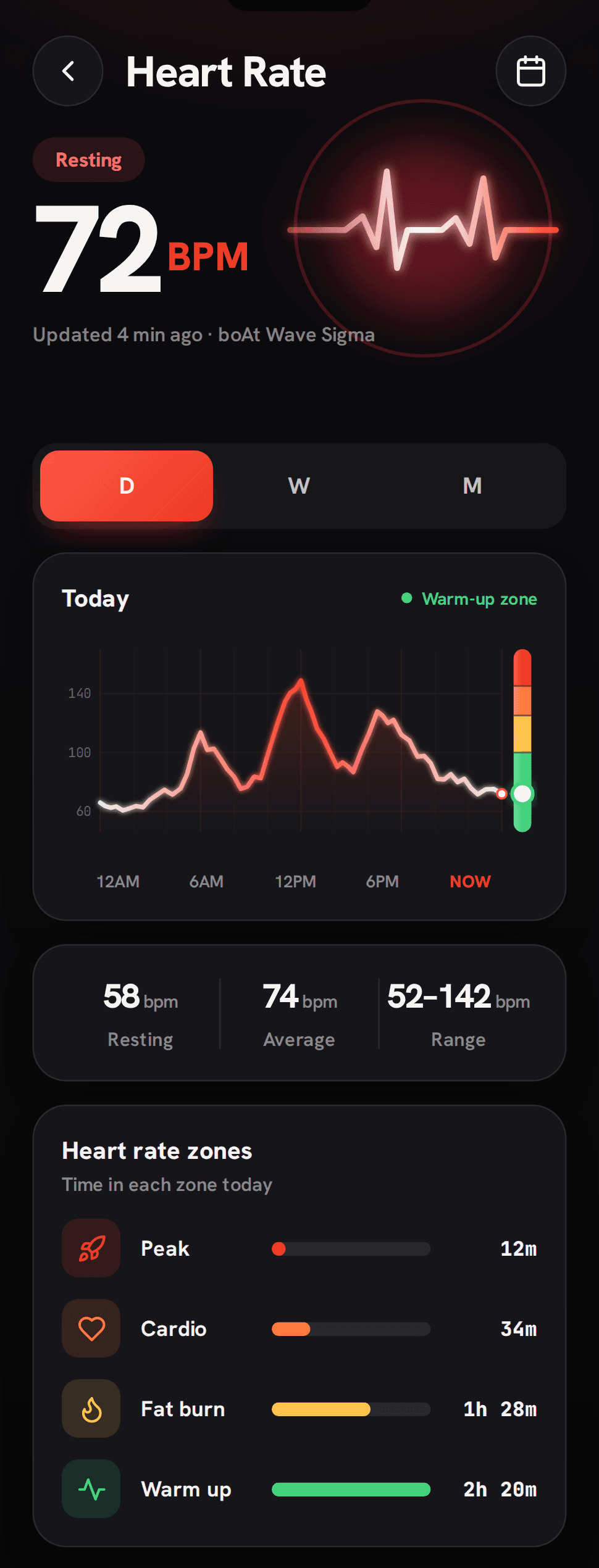

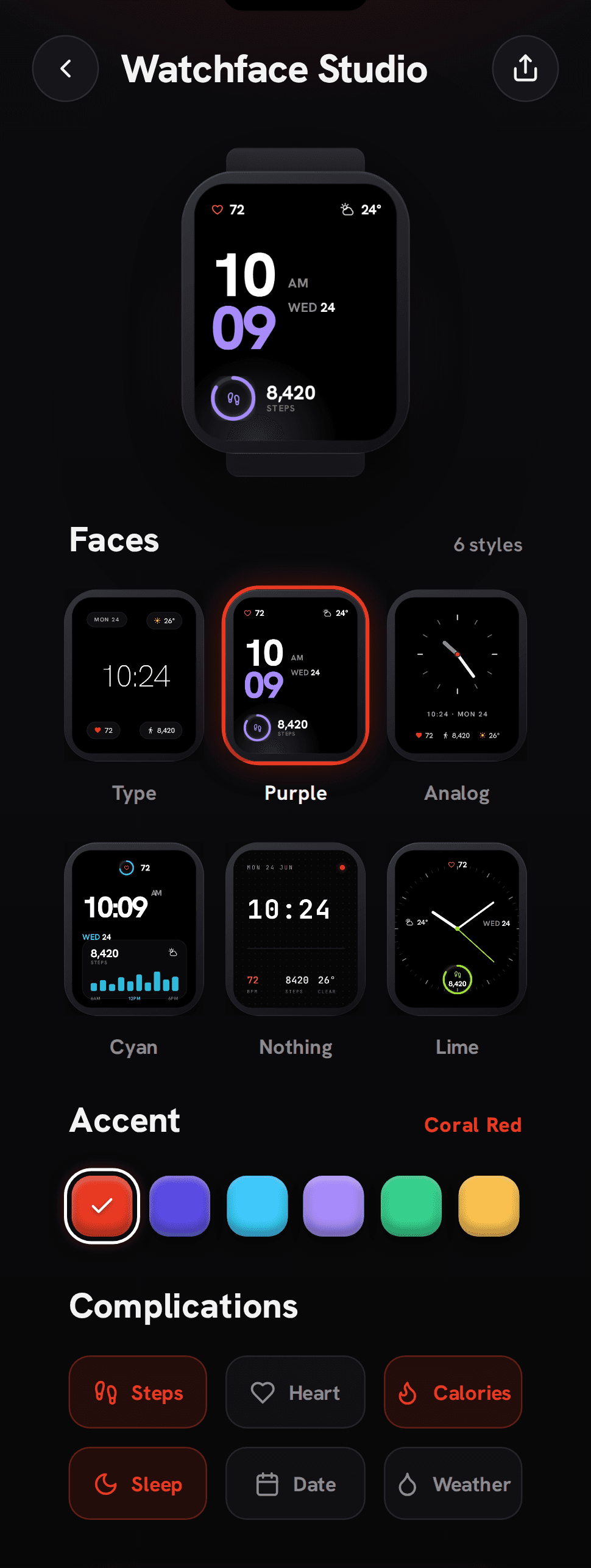

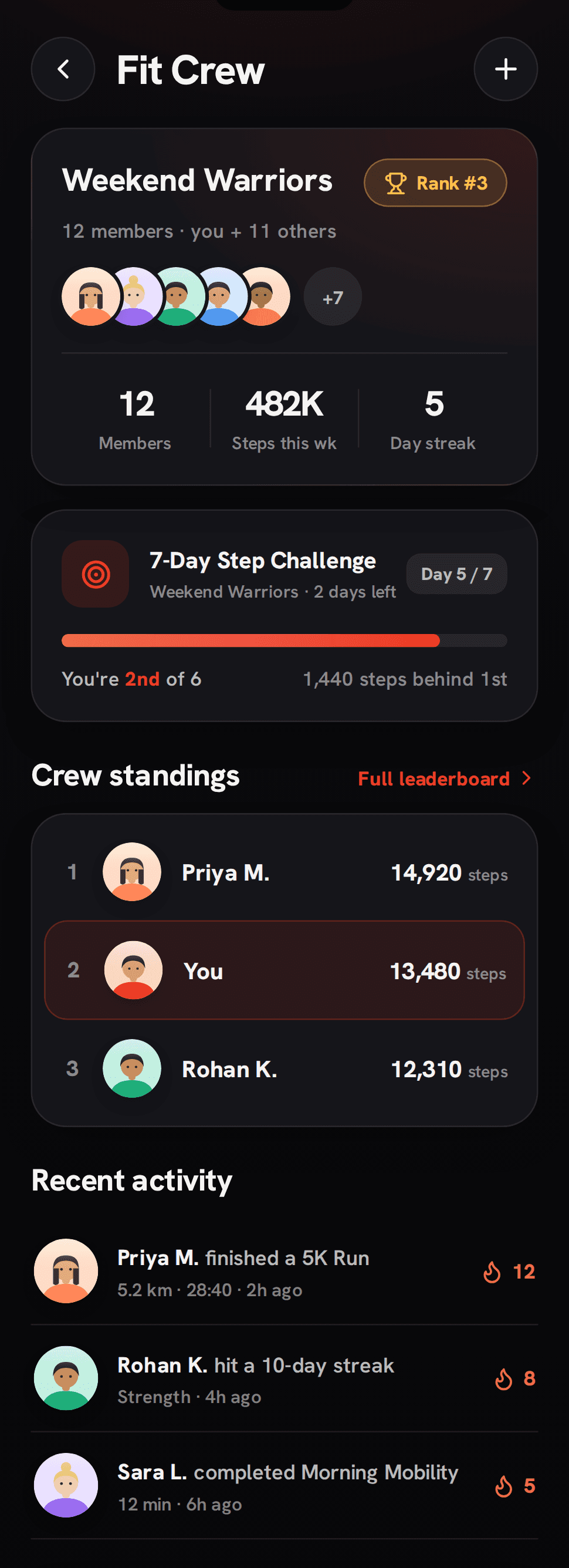

Same data. New clarity.
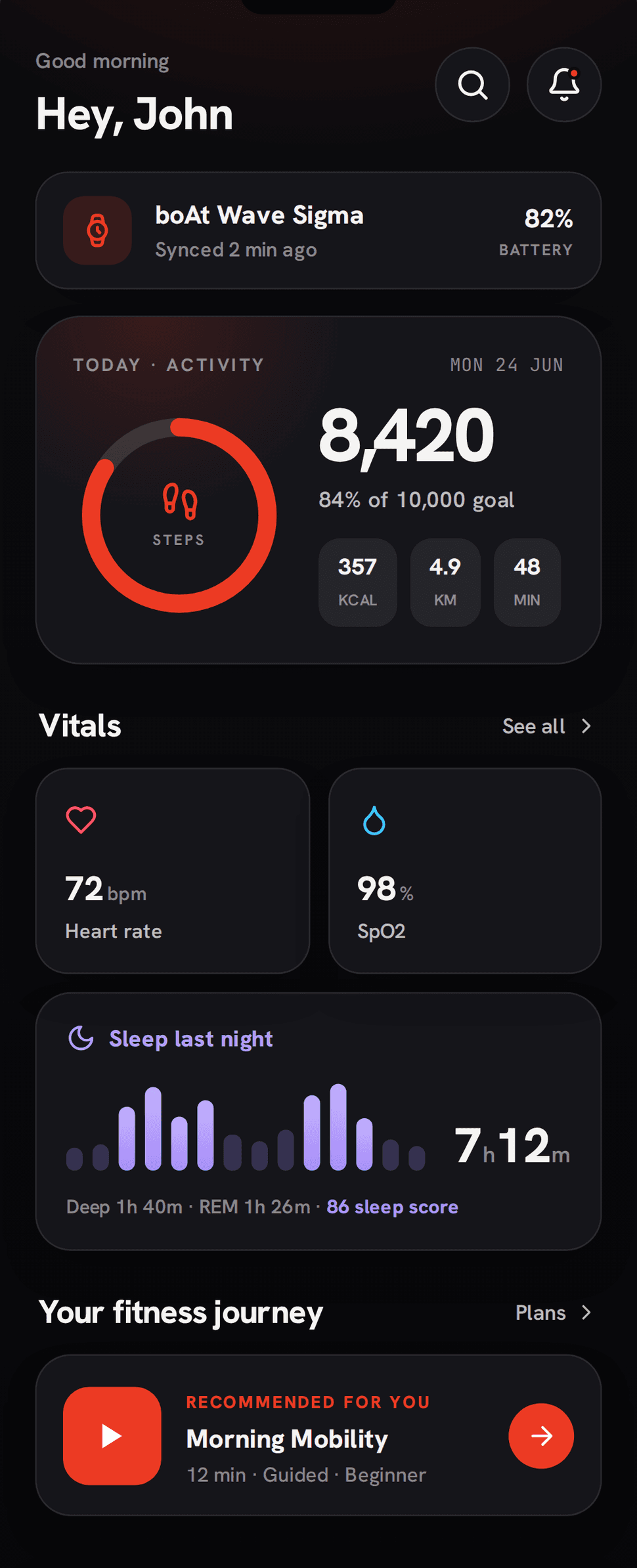
The information didn't change. The hierarchy did. Screen by screen, each one earns its colour and gives your day room to breathe.
Home
Midnight Ember
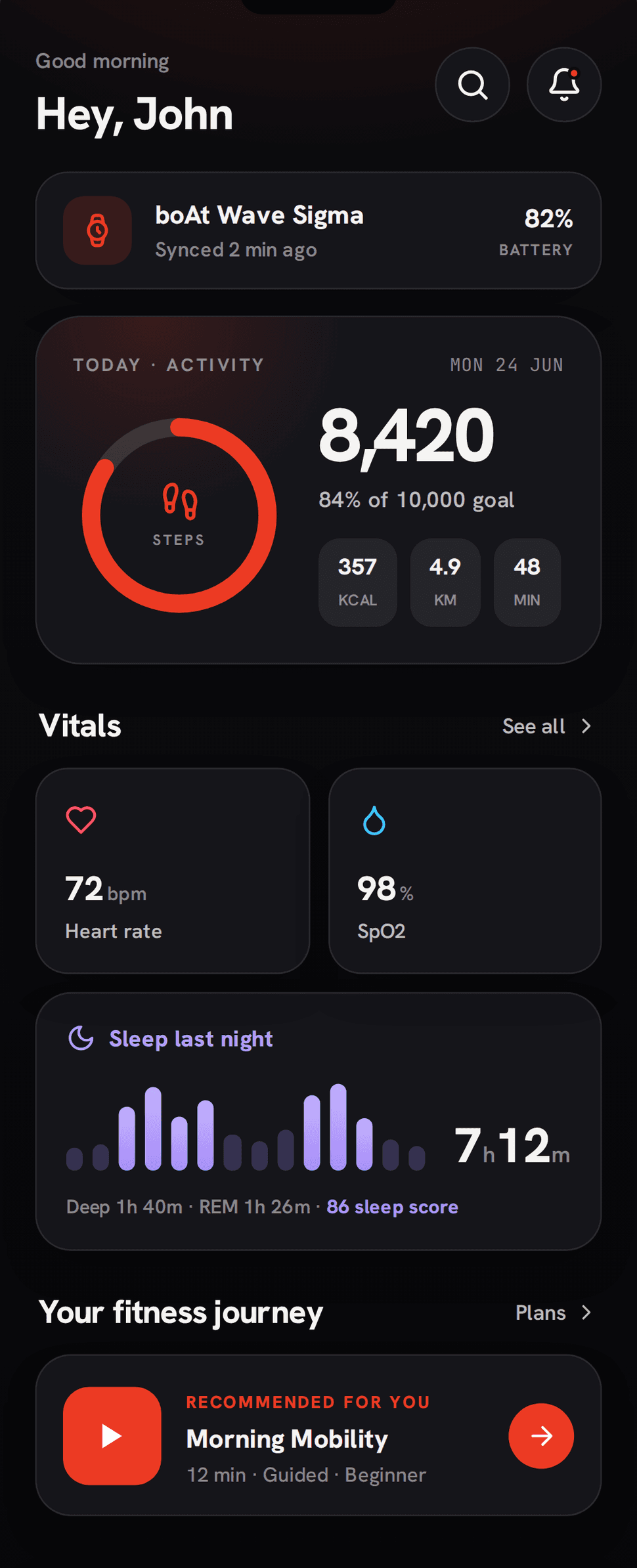
- 01One clear hierarchy so weight and colour rank your day, not a flat wall of cards
- 02No upsell nags means the coin prompts and profile pushes are gone
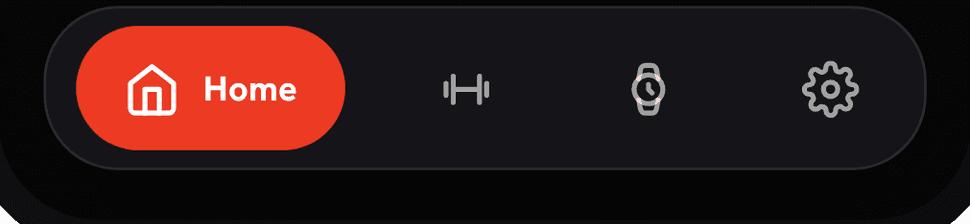
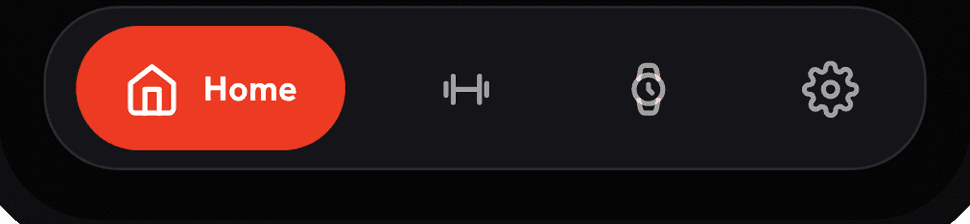
- 03Four-tab nav turns five vague destinations into four clear pillars
Activity
Midnight Ember
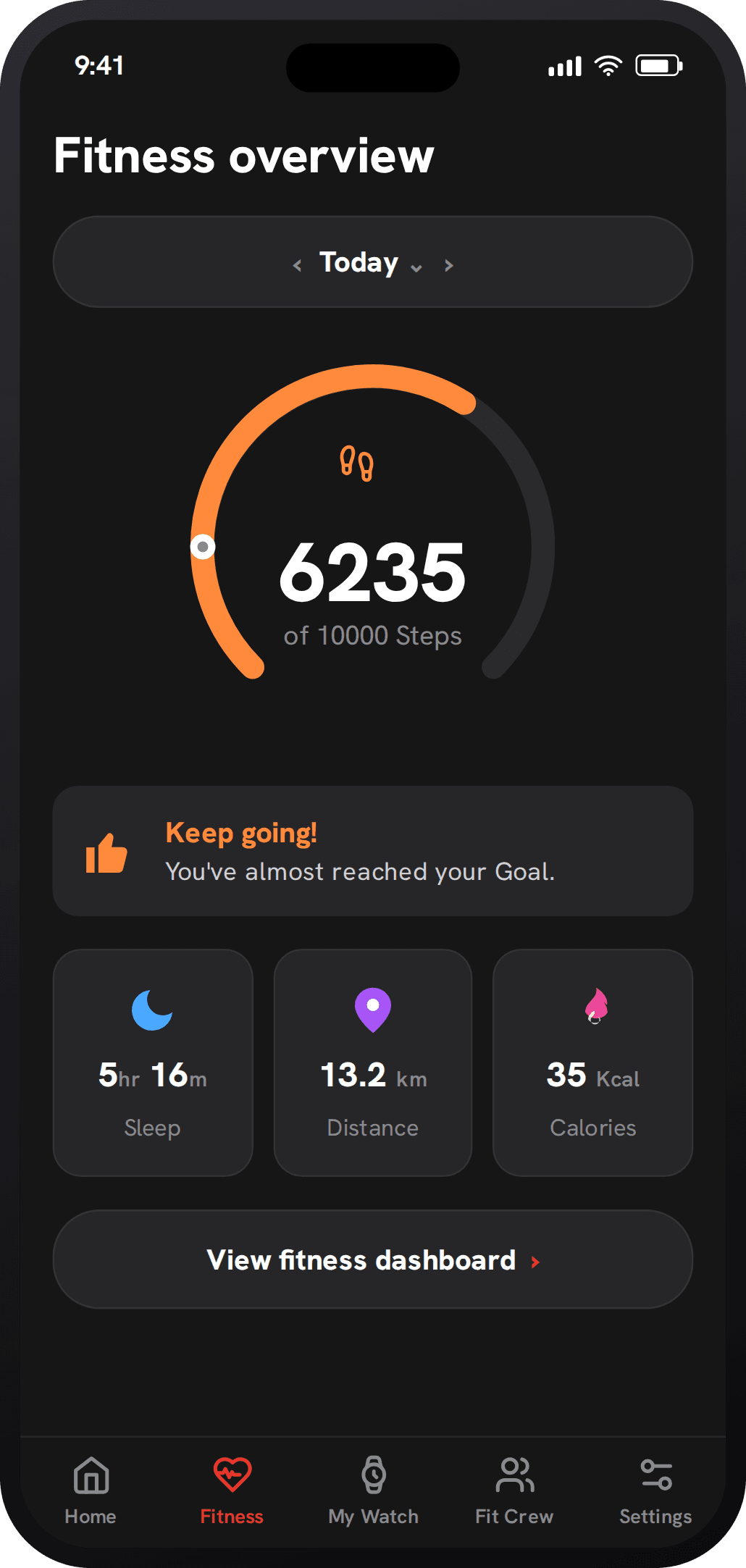
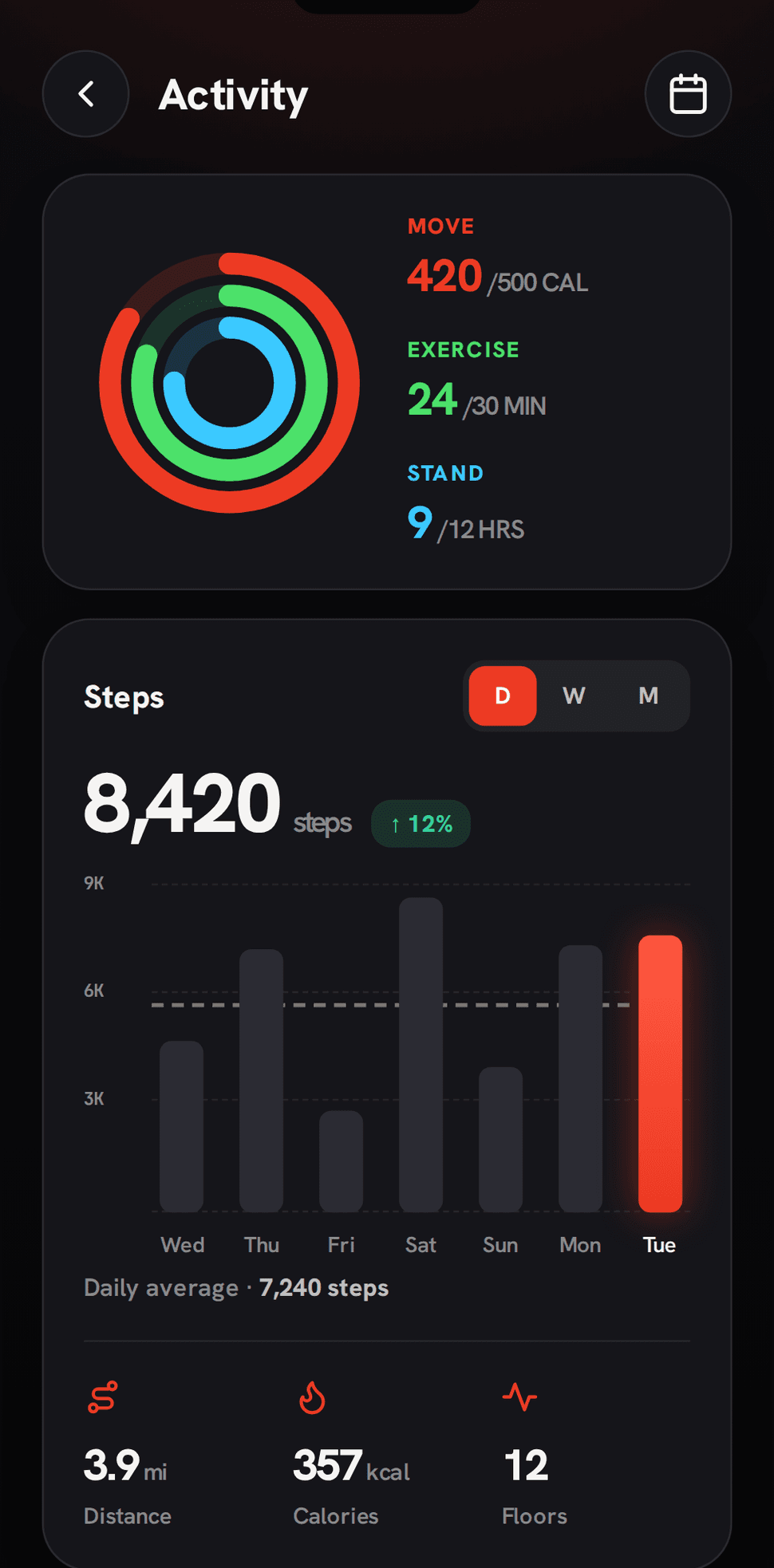

- 01Rings & steps at a glance mean the day reads in a second, not a single gauge
- 02Trends, not a snapshot gives a week of bars instead of one number
- 03Colour that means something keeps accent reserved for what actually matters
Vitals
Midnight Ember
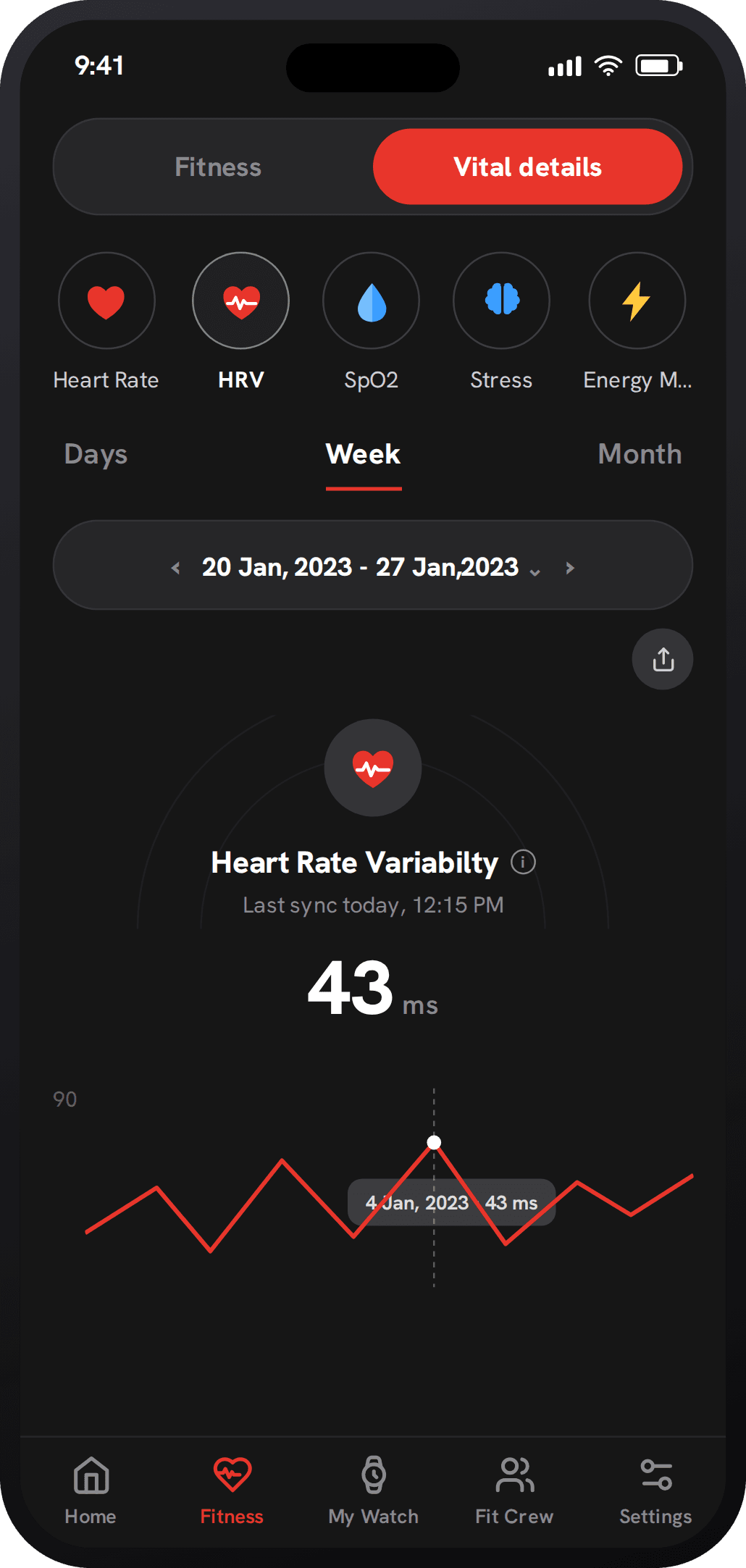
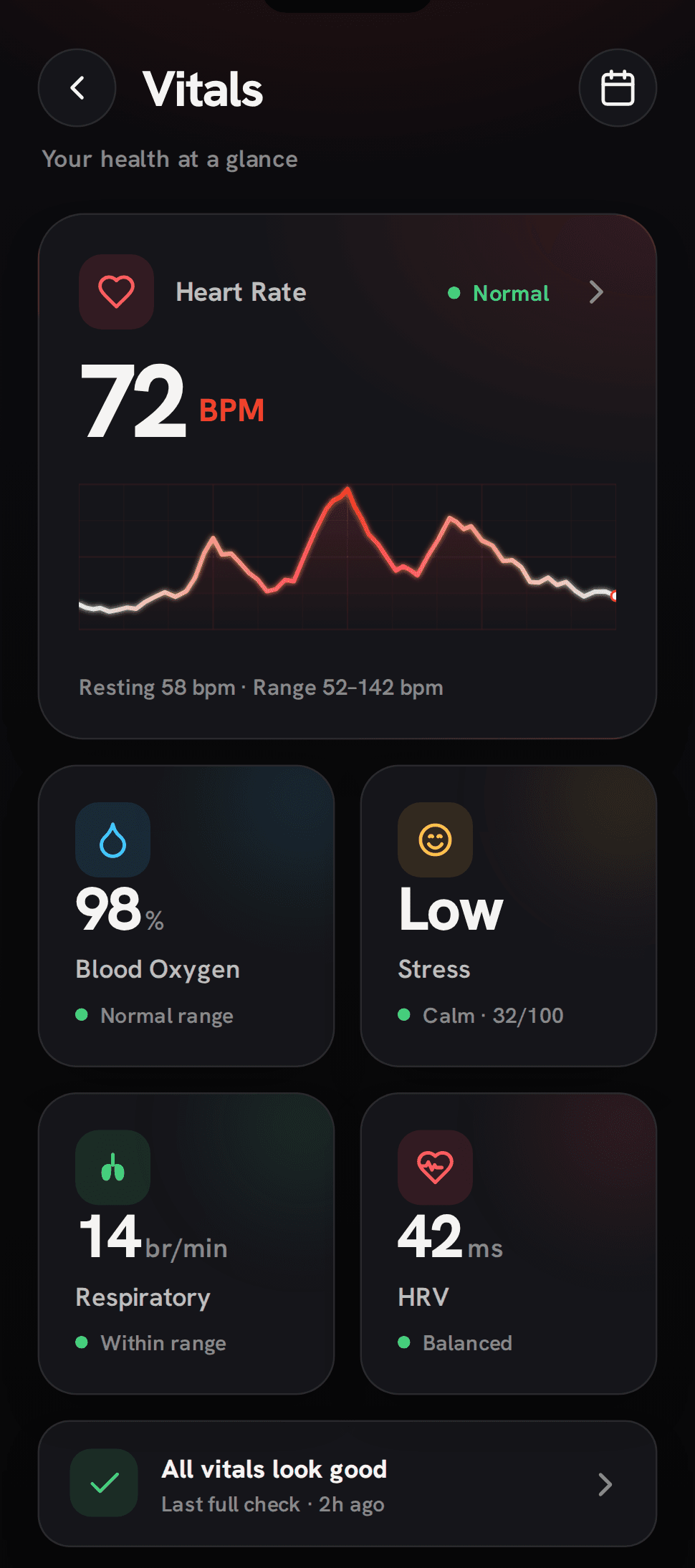

- 01One calm hub brings heart, SpO₂ and sleep finally together
- 02Honest ranges give context that reassures instead of alarms
- 03Tap into any metric and every reading opens its own detail
What I learned, and what I'd test next.
Redesigning a shipped app meant respecting what already worked while being honest about what didn't. The biggest lesson was restraint. The hardest cuts, the upsell nags and the fifth tab, did the most for clarity. The rating moving from 2.3 to 4.2 told me the hardware was never the problem. The experience was.
What I'd test next
Three bets I'd want real-world data on before calling it done.
Onboarding
Measure how far the guided setup lifts day-one activation against the old drop-into-home flow.
Social retention
Watch whether Fit Crew challenges hold 30-day retention, and tune the nudges that risk feeling like pressure.
Daybreak in the wild
Ship light mode to a cohort and check real-world legibility outdoors, where most glances actually happen.
Good products are never finished. They're just worth opening again.